Showing posts with label Conky. Show all posts

Thursday, October 24, 2013

eOS, Elune, and Bauraturia conkys available for Ubuntu/Linux Mint/other Linux distributions

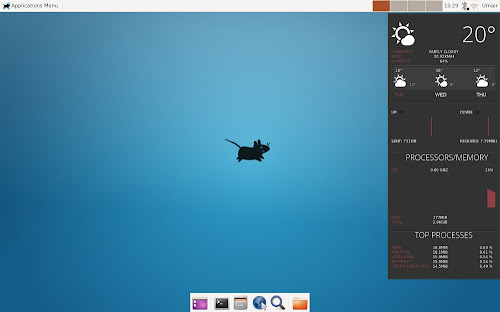
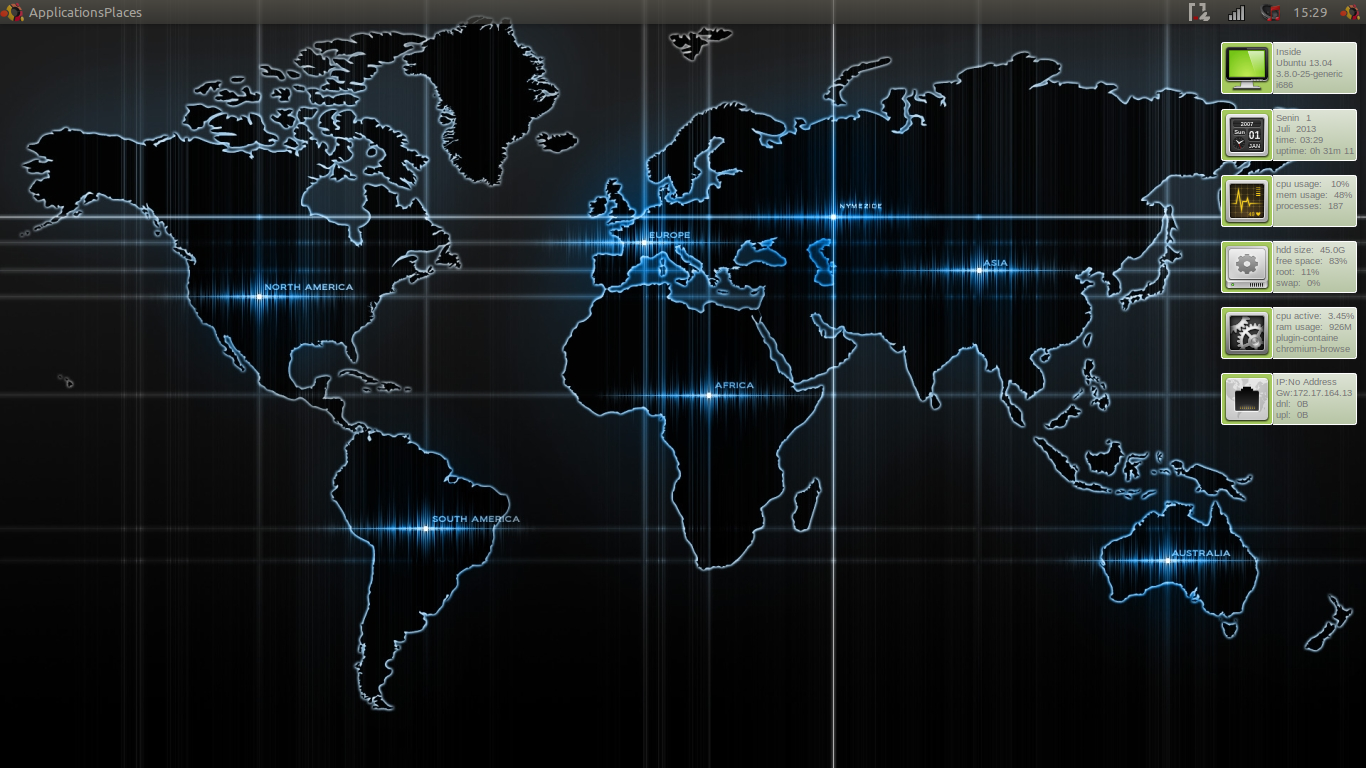
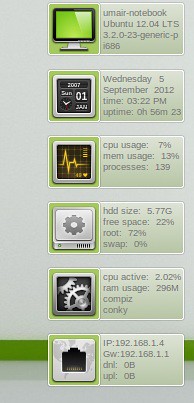
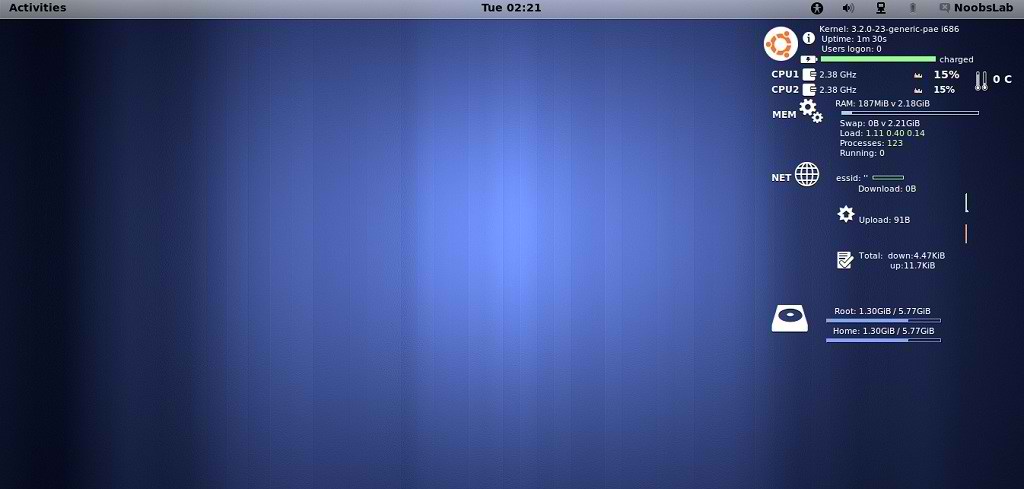
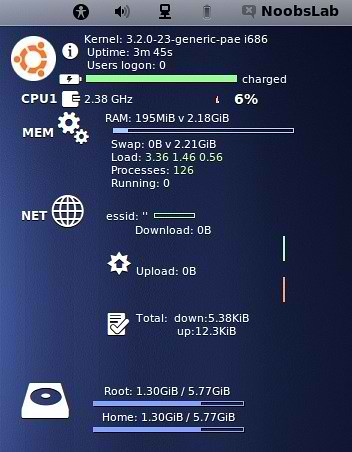
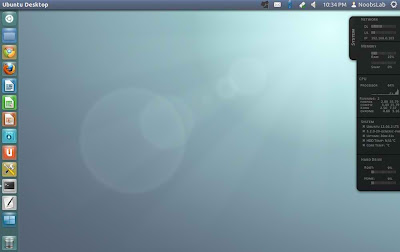
NoobsLab has collection of conkys for Linux desktop to make desktop elegant. So today we bring three conkys for you which is based on conky-now which is developer by satya but these three are modified by zagortenay333. This time we made a script to make things more easier for everyone, in past we received feedback like there are too much commands like a mess in conky posts. It can work for all Linux desktops like (Gnome Shell, Unity, Cinnamon, Gnome Classic, XFCE, Mate, and others). eOS, Elune, and Bauraturia conkys shows weather info with support of curl, CPU usage with graph, Memory, Internet upload/download speed and sent/received data, and Top Processes. There are two method of installation wget script (works for all Linux distributions) and PPA (for Ubuntu/derivatives).
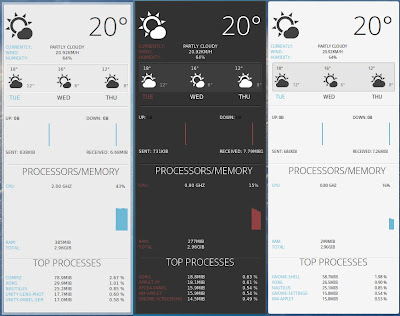
eOS, Elune, and Bauraturia conkys available for Ubuntu/Linux Mint/other Linux distributions

Installation Features:
  • Automatically adds to start-up.
  • Options to select conky.
  • Works in all environments, options to choose between environment.
Installation methods: wget method or PPA method

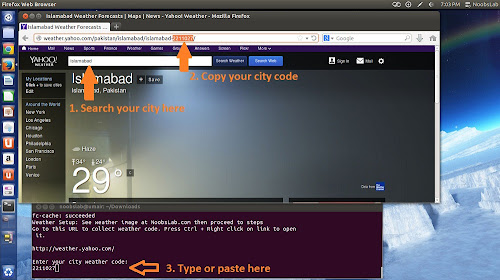
Weather Setup
eOS, Elune, and Bauraturia conkys available for Ubuntu/Linux Mint/other Linux distributions

1) wget script Installation Method (Works with all Linux Distributions):

Install Conky in Debian/Ubuntu/Linux Mint/Any Linux Distribution open terminal (Press Ctrl+Alt+T) and copy the following commands in the Terminal(First command must be related to your distribution):


Also checkout this video tutorial.


2) PPA Installation Method:

eOS, Elune, and Bauraturia conkys available for Ubuntu/Linux Mint/other Linux distributions

To install Bauraturia-conky in Ubuntu 13.10/13.04/12.10/12.04/10.04/Mint 16/15/14/13/9 open Terminal (Press Ctrl+Alt+T) and copy the following commands in the Terminal:
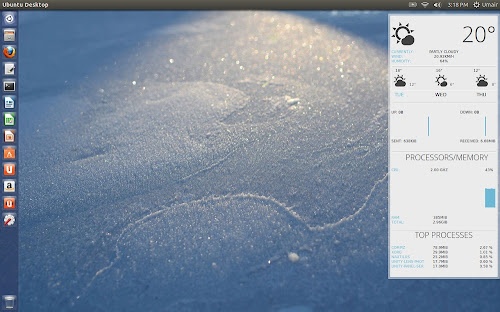


eOS, Elune, and Bauraturia conkys available for Ubuntu/Linux Mint/other Linux distributions

To install Elune-conky in Ubuntu 13.10/13.04/12.10/12.04/Mint 15/14/13 open Terminal (Press Ctrl+Alt+T) and copy the following commands in the Terminal:
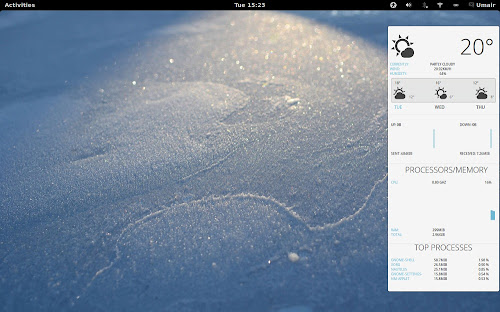


eOS, Elune, and Bauraturia conkys available for Ubuntu/Linux Mint/other Linux distributions

To install eOS-conky in Ubuntu 13.10/13.04/12.10/12.04/Mint 15/14/13 open Terminal (Press Ctrl+Alt+T) and copy the following commands in the Terminal:


After installation logout and login back then must open "conky setup" from menu and setup your conky by following instructions then again logout and login back.
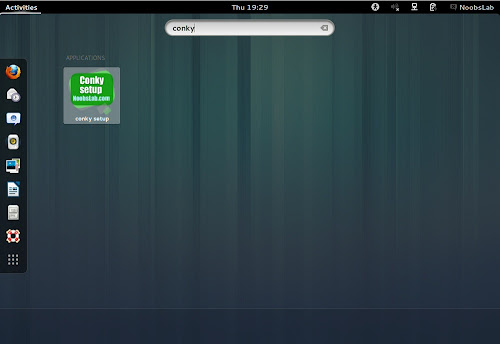
eOS, Elune, and Bauraturia conkys available for Ubuntu/Linux Mint/other Linux distributions

Note for Debian: In order to add PPA first you need to install package python-software-properties.

To install eOS/Bauraturia/Elune Conky in Previous Debian/Ubuntu/Linux Mint/and related Ubuntu derivatives open Terminal (Press Ctrl+Alt+T) and copy the following commands in the Terminal:


To uninstall use following command in Terminal:


That's it
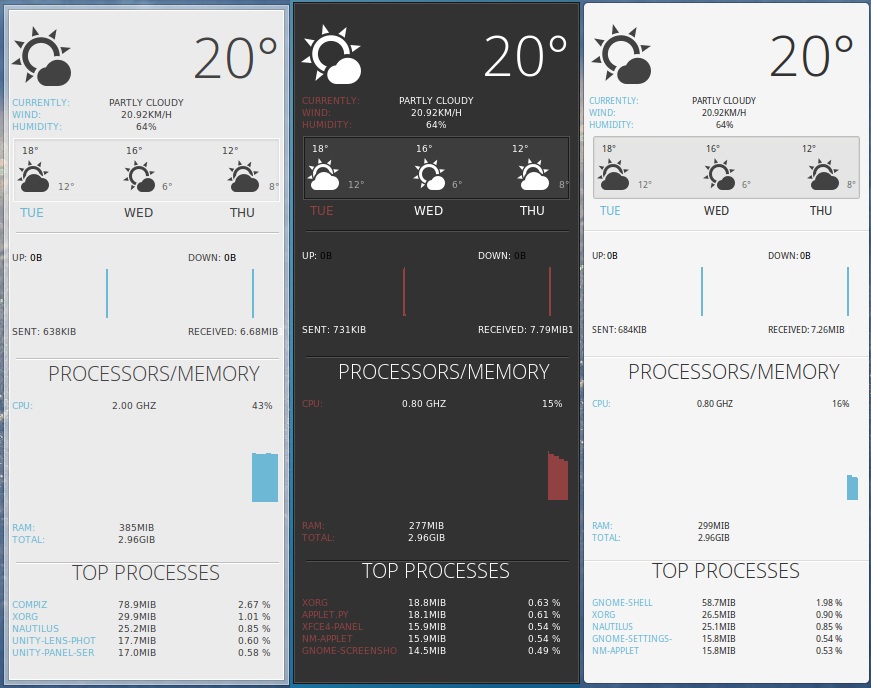
Source: Elune, Bauraturia, eOS

Sunday, July 28, 2013

Instal Infinity Conky di Ubuntu / Linux Mint

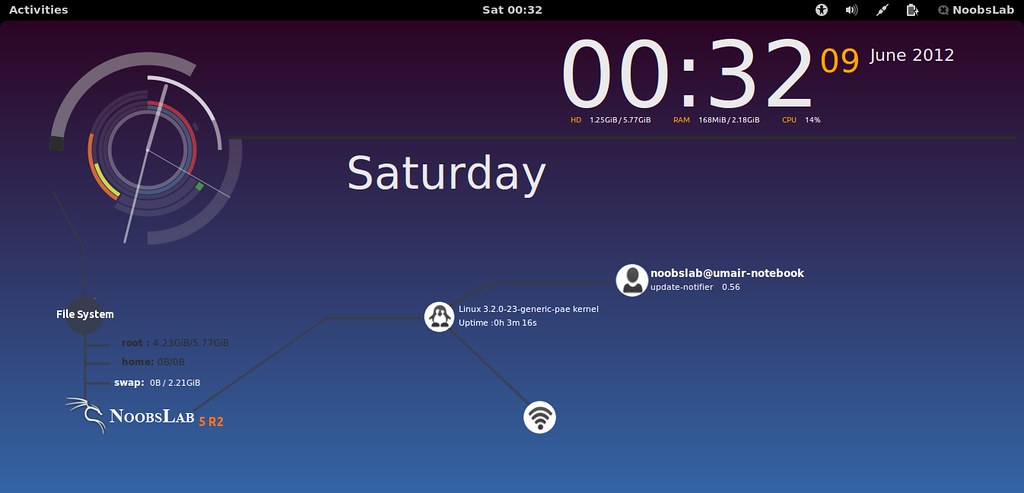
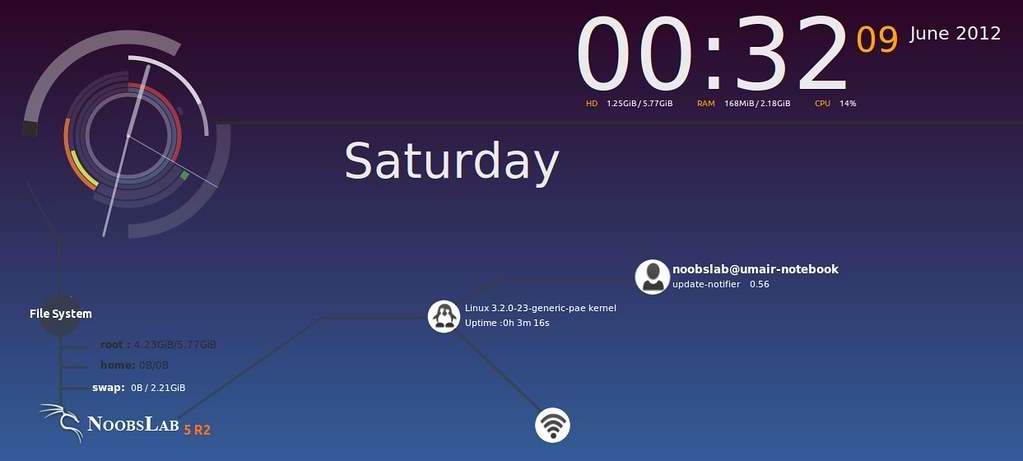
Conky ini paling terkenal di kalangan pecinta conky. Kami melakukan beberapa modifikasi conky ini dan sekarang tersedia untuk digunakan. Conky ini bekerja pada semua lingkungan: Unity, XFCE, Mate, Gnome Classic dan dukungan juga ditambahkan oleh NoobsLab untuk Gnome Shell, Cinnamon, Unity, Gnome Classic, Mate dan lain-lain. Ini menunjukkan penggunaan CPU & Memori, Tanggal & Waktu hari, jam analog Sangat dingin, HDD dan penggunaan swap, informasi Net (IP, Upload dan Download kecepatan), info pengguna Dicatat dan proses yang berjalan atas dan Kernel + Info Uptime.
Metode instalasi : Metode wget atau metode PPA

1) Metode Instalasi wget (Bekerja dengan semua Distribusi Linux):

Menginstal Conky di Ubuntu / Linux Mint buka terminal (Tekan Ctrl + Alt + T ) dan salin perintah berikut di Terminal:
Terminal Commands:
sudo apt-get install conky conky-all

Pertama-tama download Startup skrip dengan perintah berikut:
Terminal Commands:
cd && wget-O start-conky http://goo.gl/6RrEw.
chmod + x. start-conky
Sekarang buka Startup Aplikasi> klik Add> kotak dialog baru akan terbuka klik pada Browse> Sekarang (Tekan Ctrl + H ) lihat screenshot berikut.
Terminal Commands:
cd && wget -O infinity-noobslab-eth1.zip http://goo.gl/ZiFbd
unzip infinity-noobslab-eth1.zip && rm infinity-noobslab-eth1.zip

>> Infinity Conky for Wifi To Install Infinity-Conky
open Terminal and enter following commands:
Terminal Commands:
cd && wget -O infinity-noobslab-wlan1.zip http://goo.gl/qkIWg
unzip infinity-noobslab-wlan1.zip && rm infinity-noobslab-wlan1.zip
>> If gadget doesn't fit in your screen, you can change size in line 43 (minimum_size). Enter Following command to open file in text editor and change size:
Terminal Commands:
nano ~/.conkyrc

2) PPA Installation Method:
Apa yang baru:
  • Secara otomatis menambahkan untuk start-up.
  • Mudah Sesuaikan ukuran layar conky dengan menjalankan conky pengaturan menu form.
  • Bekerja di semua lingkungan, pilihan untuk memilih antara lingkungan.
  • Ditambahkan pilihan untuk memilih antara Ethernet dan WiFi

Untuk menginstal Infinity-conky di Ubuntu 13.10/13.04/12.10/12.04/Mint 15/14/13 terbuka Terminal (Tekan  Ctrl + Alt + T ) dan salin perintah berikut di Terminal:
Terminal Commands:
sudo apt-get install conky conky-all
sudo add-apt-repository ppa:noobslab/noobslab-conky
sudo apt-get update
sudo apt-get install infinity-conky

Setelah instalasi logout dan login kembali kemudian harus membuka "conky setup" dari menu dan setup conky Anda dengan petunjuk berikut kemudian lagi logout dan login kembali.
Catatan untuk Debian:  Dalam rangka untuk menambah PPA pertama yang Anda perlu menginstal paket python-software-properties . Untuk menginstal Infinity-Conky di Ubuntu Sebelumnya / Linux Mint / Debian / Ubuntu dan terkait derivatif terbuka Terminal (Tekan  Ctrl + Alt + T ) dan salin perintah berikut di Terminal:

Terminal Commands:
sudo apt-get install conky conky-all
mkdir ~/.config/autostart
sudo add-apt-repository "deb http://ppa.launchpad.net/noobslab/noobslab-conky/ubuntu precise main"
sudo apt-get update
sudo apt-get install infinity-conky

Untuk menghapus penggunaan perintah berikut di Terminal:
Terminal Commands:
sudo apt-get remove infinity-conky

That's it
Source: Conky Infinity

Monday, July 1, 2013

Conky Lua Next Generation (Modified) for ubuntu 13.10/13.04//12.10/12.04/linux mint

Baik langsung saja kita praktikkan.
1. Yang pertama Anda lakukan instal dulu conky di Ubuntu Anda dengan mengetikkan perintah ini di terminal.

sudo apt-get install conky

2. Download Conky-Next-Generation yang sudah saya modifikasi pada link di bawah ini.


3. Setelah selesai Anda download Anda akan mendapatkan file .zip bernama McSmile Conky, ekstrak file .zip tersebut.
4. Instal font Neuropolitical dengan cara double klik pada file NEURPOLI.ttf yang terletak pada folder yang Anda download tadi kemudian klik tombol Install Font.
5. Setelah itu Anda rename folder conky dan lua menjadi .conky dan .lua serta file conkyrc dan conky-start.sh menjadi .conkyrc dan .conky-start.sh, namun jangan kaget jika folder itu hilang karena pemberian tanda titik di depan membuat file/folder terhidden (catatan: tekan tombol ctrl + H untuk menampilkan hiden file). Setelah itu kopikan folder .conky dan .lua ke Home folder Anda
6. Langkah selanjutnya Anda copy file .conkyrc dan .conky-start.sh ke Home folder.
7. Untuk menseting cuaca klik di sini untuk memilih negara dan kota kamu. Saya memilih Indonesia dan kota Jakarta. Kota yang ditunjuk adalah WIII.

8. Kemudian double klik file .conkyrc yang ada di Home folder Anda akan muncul seperti pada gambar. Ganti kota Jember dengan nama daerah Anda dan kode WIII dengan kode kota Anda.
9. Ketikkan perintah ini di terminal untuk memanggil file .conky-start.sh.

sudo chmod +x .conky-start.sh

10. Anda bisa menjalankan conky dengan mengetikkan perintah "conky" di terminal tanpa tanda petik.

Nah, sekarang Anda bisa menjalankan conky keluar otomatis saat komputer dihidupkan. Masuk ke Startup Aplications klik Add dan muncul jendela baru seperti pada gambar.
Isikan nama sesuai keinginan kamu kemudian klik Browse dan cari file .conky-start.sh yang ada di Home foldermu. Jika sudah klik Save --> Close.
Sekarang restart komputer Anda maka Anda akan mendapatkan tampilan conky seperti ini.


Install Energreen Conky in Ubuntu/Linux Mint/Fedora/Others

Previously NoobsLab shared other Conky widgets for linux desktop to make desktop nice. So today brings Energreen conky for you, Basically this conky is available for some environments but NoobsLab provides after modification for all Linux desktops like (Gnome Shell, Unity, Cinnamon, Gnome Classic, Mate, and others) and for Ethernet and Wifi. EnerGreen conky shows OS version with Kernel, CPU usage, Memory usage, HDD usage, User Login info, Current Processes, CPU up-time, and Current PC Time + Date.
Install Conky in Ubuntu/Linux Mint open terminal (Press Ctrl+Alt+T) and copy the following commands in the Terminal:
  • sudo apt-get install conky conky-all

First of all Download Startup script with following commands:

  • cd && wget -O .start-conky http://goo.gl/6RrEw
  • chmod +x .start-conky
Now open Startup Applications > click Add  > New Dialog box will open click on Browse > Now (Press Ctrl+H) see following screenshot.

 1: Energreen Conky for (Unity, Gnome Classic, Mate, and Others)
>> For EthernetTo install Energreen-Conky in Ubuntu/Mint open Terminal (Press Ctrl+Alt+T) and copy the following commands in the Terminal:
  • cd && wget -O energreen-noobslab-eth-u.zip http://goo.gl/dVLWl
  • unzip energreen-noobslab-eth-u.zip && rm energreen-noobslab-eth-u.zip
>> For Wifi
To install Energreen-Conky in Ubuntu/Mint open Terminal (Press Ctrl+Alt+T) and copy the following commands in the Terminal:

  • cd && wget -O energreen-noobslab-wlan-u.zip http://goo.gl/IUu0B
  • unzip energreen-noobslab-wlan-u.zip && rm energreen-noobslab-wlan-u.zip

2: Energreen Conky for (Gnome Shell, Cinnamon)
>> For EthernetTo install Energreen-Conky in Ubuntu/Mint open Terminal (Press Ctrl+Alt+T) and copy the following commands in the Terminal:
  • cd && wget -O energreen-noobslab-eth-gs.zip http://goo.gl/5HVfs
  • unzip energreen-noobslab-eth-gs.zip && rm energreen-noobslab-eth-gs.zip
>> For Wifi
To install Energreen-Conky in Ubuntu/Mint open Terminal (Press Ctrl+Alt+T) and copy the following commands in the Terminal:

  • cd && wget -O energreen-noobslab-wlan-gs.zip http://goo.gl/HICai
  • unzip energreen-noobslab-wlan-gs.zip && rm energreen-noobslab-wlan-gs.zip
That's it, Enjoy
Source: Energreen

Install Conky Patch in Ubuntu/Linux Mint/Fedora/Other Linux Distributions


NoobsLab have Conky Collection for you. Conky beautify the linux desktop. This Conky Patch is really nice, it shows kernel, uptime, cpu usage, memory usage, net, drive usage, cpu temperature (If you have sensors). This Conky Patch gadget is available for single Cpu and Dual Cpu, you can install this gadget on 4 Cpu pc without any problem. NoobsLab made this gadget available for all environments like: Gnome Shell, Unity, Mate, Gnome Classic, Cinnamon, and others.

Install Conky in Ubuntu/Linux Mint open terminal (Press Ctrl+Alt+T) and copy the following commands in the Terminal:
  • sudo apt-get install conky conky-all

First of all Download Startup script with following commands:

  • cd && wget -O .start-conky http://goo.gl/6RrEw
  • chmod +x .start-conky
Now open Startup Applications > click Add  > New Dialog box will open click on Browse > Now (Press Ctrl+H) see following screenshot.
1: Conky Patch for Ethernet/Lan
for (Unity, Gnome Classic, Mate, and other):
To install Conky Patch in Ubuntu/Mint open Terminal (Press Ctrl+Alt+T) and copy the following commands in the Terminal:

  • cd && wget -O patch-noobslab-eu.zip http://goo.gl/RnOoO
  • unzip patch-noobslab-eu.zip && rm patch-noobslab-eu.zip
for (Gnome Shell and Cinnamon):
To install Conky Patch in Ubuntu/Mint open Terminal (Press Ctrl+Alt+T) and copy the following commands in the Terminal:

  • cd && wget -O patch-noobslab-egs.zip http://goo.gl/zeqMX
  • unzip patch-noobslab-egs.zip && rm patch-noobslab-egs.zip

2: Conky Patch for Wifi/Wireless
for (Unity, Gnome Classic, Mate, and other):
To install Conky Patch in Ubuntu/Mint open Terminal (Press Ctrl+Alt+T) and copy the following commands in the Terminal:

  • cd && wget -O patch-noobslab-wu.zip http://goo.gl/HSoKD
  • unzip patch-noobslab-wu.zip && rm patch-noobslab-wu.zip
for (Gnome Shell and Cinnamon):
To install Conky Patch in Ubuntu/Mint open Terminal (Press Ctrl+Alt+T) and copy the following commands in the Terminal:

  • cd && wget -O patch-noobslab-wgs.zip http://goo.gl/vxCpK
  • unzip patch-noobslab-wgs.zip && rm patch-noobslab-wgs.zip
That's it, Enjoy


Wednesday, June 26, 2013

Install Basic-conky in Ubuntu/Linux Mint/Debian/Fedora/Other

Conky is free widget for Linux, It can display any information whatever you want to show on your desktop. This conky gadget has no name, So NoobsLab just gave name Basic-conky. Basic-Conky was available for some environments but NoobsLab provides after modification for all Linux desktops like (Gnome Shell, Unity, Cinnamon, Gnome Classic, Mate, and others). Basic-conky shows CPU usage, Memory usage, HDD usage, Net Up/Down Speed and Network details, CPU up-time  Linux kernel and version, Day, Date, Time. You can check other conky widgets collection for Linux desktop to make desktop nice.
Install Conky in Ubuntu/Linux Mint open terminal (Press Ctrl+Alt+T) and copy the following commands in the Terminal:

  • sudo apt-get install conky conky-all

First of all Download Startup script with following commands:
  • cd && wget -O .start-conky http://goo.gl/6RrEw
  • chmod +x .start-conky
Now open Startup Applications > click Add  > New Dialog box will open click on Browse > Now (Press Ctrl+H) see following screenshot.
 1: Basic-Conky for Ethernet


>> For Unity, Gnome Classic, Mate, and Others
To install Basic-Conky in Ubuntu/Mint open Terminal (Press Ctrl+Alt+T) and copy the following commands in the Terminal:

  • cd && wget -O basic-noobslab-eth-u.zip http://goo.gl/n0Jlg
  • unzip basic-noobslab-eth-u.zip && rm basic-noobslab-eth-u.zip
>> For Gnome Shell, Cinnamon
To install Basic-Conky in Ubuntu/Mint open Terminal (Press Ctrl+Alt+T) and copy the following commands in the Terminal:
  • cd && wget -O basic-noobslab-eth-gs.zip http://goo.gl/hOKZk
  • unzip basic-noobslab-eth-gs.zip && rm basic-noobslab-eth-gs.zip

2: Basic-Conky for WiFi
>> For Unity, Gnome Classic, Mate, and Others
To install Basic-Conky in Ubuntu/Mint open Terminal (Press Ctrl+Alt+T) and copy the following commands in the Terminal:
  • cd && wget -O basic-noobslab-wlan-u.zip http://goo.gl/elD4z
  • unzip basic-noobslab-wlan-u.zip && rm basic-noobslab-wlan-u.zip
>> For Gnome Shell, Cinnamon
To install Basic-Conky in Ubuntu/Mint open Terminal (Press Ctrl+Alt+T) and copy the following commands in the Terminal:
  • cd && wget -O basic-noobslab-wlan-gs.zip http://goo.gl/2py72
  • unzip basic-noobslab-wlan-gs.zip && rm basic-noobslab-wlan-gs.zip
That's it. 

Install Malice-Tab Conky in Ubuntu/Linux Mint/Debian

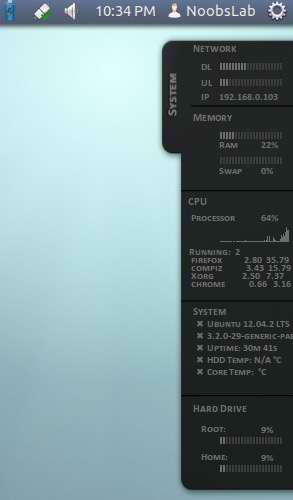
As you know we have huge collection of conky widgets for desktop to make Linux awesome. Malice-Tab conky was only available for some environments but now NoobsLab providing after modification for all desktop environments. Malice-Tab conky shows Network Upload and Download speed, IP address, Ram and Swap usage, CPU usage and top 4 running processes, System info: Linux and kernel version, CPU up-time, HDD and CPU Temp, and HDD Usage.
Install Conky in Ubuntu/Linux Mint open terminal (Press Ctrl+Alt+T) and copy the following commands in the Terminal:
  • sudo apt-get install conky conky-all

First of all Download Startup script with following commands:
  • cd && wget -O .start-conky http://goo.gl/6RrEw
  • chmod +x .start-conky
Now open Startup Applications > click Add  > New Dialog box will open click on Browse > Now (Press Ctrl+H) see following screenshot.
Install sensors for temperature
  • sudo apt-get install lm-sensors
  • sudo sensors-detect

1: Malice-Tab Conky for (Unity, Gnome Classic, Mate, and Others)
To install Malice-Tab conky in Ubuntu/Mint open Terminal (Press Ctrl+Alt+T) and copy the following commands in the Terminal:
  • cd && wget -O malice-tab-noobslab-u.zip http://goo.gl/bBJD8
  • unzip malice-tab-noobslab-u.zip && rm malice-tab-noobslab-u.zip

2: Malice-Tab Conky for (Gnome Shell, Cinnamon)

To install Malice-Tab conky in Ubuntu/Mint open Terminal (Press Ctrl+Alt+T) and copy the following commands in the Terminal:
  • cd && wget -O malice-tab-noobslab-gs.zip http://goo.gl/UpuZs
  • unzip malice-tab-noobslab-gs.zip && rm malice-tab-noobslab-gs.zip
That's it, Enjoy
Source: Malice-Tab

Tuesday, June 18, 2013

Max Conky for Ubuntu/Linux Mint/Debian/Ubuntu based Distributions

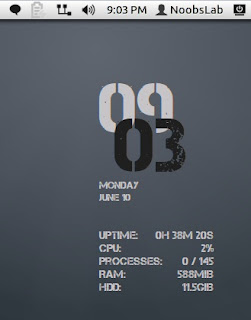
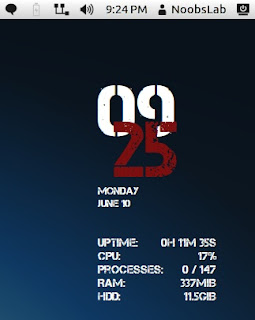
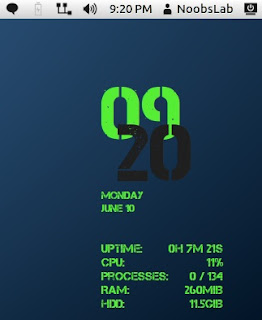
Conky adalah monitor perangkat lunak sistem untuk X Window System. Ini tersedia untuk GNU / Linux dan FreeBSD. Ini adalah perangkat lunak bebas yang dirilis di bawah persyaratan lisensi GPL. Conky dapat memonitor variabel sistem banyak termasuk CPU, memori, swap, ruang disk, suhu, restoran, upload, download, pesan sistem, dan banyak lagi. Hal ini sangat dapat dikonfigurasi, namun, konfigurasi dapat menjadi sedikit sulit untuk mengerti. Kami memiliki koleksi conky dengan instalasi mudah untuk membuat desktop yang mengagumkan. Max conky memiliki tiga rasa hijau-hitam, putih-hitam, putih-merah dan bekerja dengan semua lingkungan desktop (Unity, Gnome Shell, Mate, Gnome Classic, Kayu manis dan lain-lain). Max conky menunjukkan jam digital, Tanggal dan hari, penggunaan CPU, penggunaan memori, penggunaan Disk, dan CPU up-waktu.

Menginstal Conky di Ubuntu / Linux Mint buka terminal (Tekan Ctrl + Alt + T) dan salin perintah berikut di Terminal:
sudo apt-get install conky conky-all
Pertama-tama download Startup skrip dengan perintah berikut:
cd && wget-O start-conky http://goo.gl/6RrEw.
chmod + x. start-conky

Sekarang buka Startup Aplikasi> klik Add> kotak dialog baru akan terbuka klik pada Browse> Sekarang (Tekan Ctrl + H) lihat screenshot berikut.


 1: Max Conky Version (Green-Black)


Untuk menginstal Max-conky di Ubuntu / Mint terbuka Terminal (Tekan Ctrl + Alt + T) dan salin perintah berikut di Terminal:

cd && wget -O max-NoobsLab-gb.zip http://goo.gl/oC1FD
cd && unzip max-NoobsLab-gb.zip && rm max-NoobsLab-gb.zip
 2: Max Conky Version (White-Black)
Untuk menginstal Max-conky di Ubuntu / Mint terbuka Terminal (Tekan Ctrl + Alt + T) dan salin perintah berikut di Terminal:

cd && wget -O max-NoobsLab-wb.zip http://goo.gl/GtNG8
cd && unzip max-NoobsLab-wb.zip && rm max-NoobsLab-wb.zip
3: Max Conky Version (White-Red)

Untuk menginstal Max-conky di Ubuntu / Mint terbuka Terminal (Tekan Ctrl + Alt + T) dan salin perintah berikut di Terminal:

cd && wget -O max-NoobsLab-wr.zip http://goo.gl/B8QSc
cd && unzip max-NoobsLab-wr.zip && rm max-NoobsLab-wr.zip
That's it