Showing posts with label Icon. Show all posts

Thursday, October 24, 2013

Moka icon theme for Ubuntu/Linux Mint/Other Ubuntu Derivatives

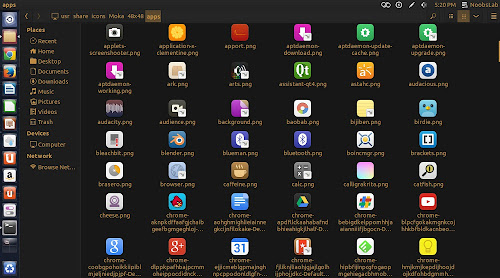
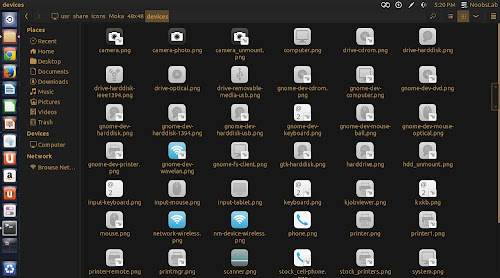
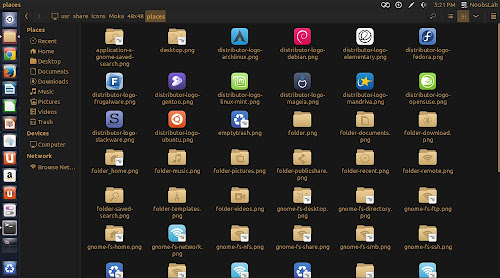
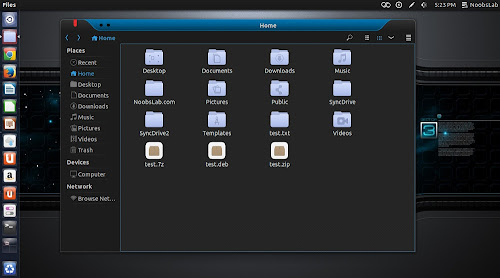
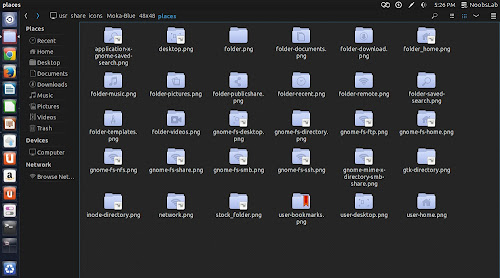
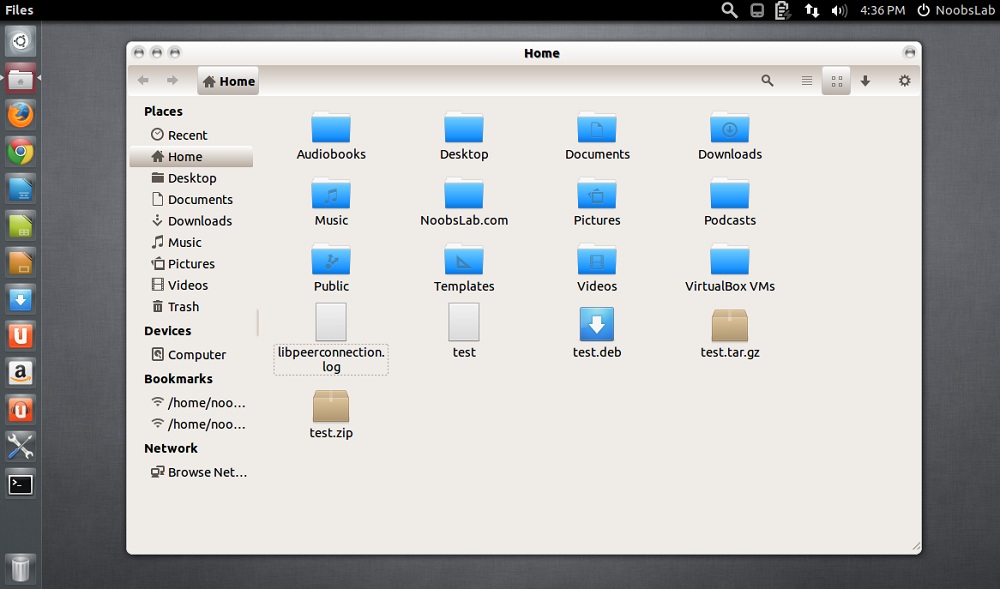
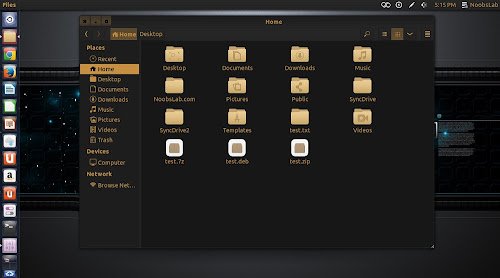
Moka icons are designed to be a clear, simple and consistent icon set for Gnome. It works with many desktop environments like Unity, Gnome, Cinnamon and other, At this moment it is not available for KDE. Moka Icon Theme is distributed under the terms of the GNU GPL version 3. It is not complete yet, There can be some icons missing in this set of icons like some (devices, mime, apps, etc) But you can report missing icons here to developer and hopefully he'll include it in future updates.
I can say most part of this set is comprehensive enough to use it without any issue, and developer also working on this set by adding more icons. There are two version of this set blue and orange, Also dark icons for light panel and light icons for dark panel.

Moka icon theme for Ubuntu/Linux Mint/Other Ubuntu Derivatives

Moka icon theme for Ubuntu/Linux Mint/Other Ubuntu Derivatives

Moka icon theme for Ubuntu/Linux Mint/Other Ubuntu Derivatives

Moka icon theme for Ubuntu/Linux Mint/Other Ubuntu Derivatives

Moka icon theme for Ubuntu/Linux Mint/Other Ubuntu Derivatives

Moka icon theme for Ubuntu/Linux Mint/Other Ubuntu Derivatives

Moka icon theme for Ubuntu/Linux Mint/Other Ubuntu Derivatives

Ming and Malys Deda themes used in screenshots

To install Moka icon set in Ubuntu 13.10/13.04/12.10/12.04/Linux Mint 15/14/13 open Terminal (Press Ctrl+Alt+T) and copy the following commands in the Terminal:


To install Moka icon set in Any Ubuntu/Linux Mint open Terminal (Press Ctrl+Alt+T) and copy the following commands in the Terminal:


That's it
Source: Moka

Nitrux2, Nitrux, and iNX Icons for Ubuntu/Linux Mint/Ubuntu derivatives [Updated]

1: Nitrux2 Icons (Version 3.1.2)
Nitrux OS Icons are Simple, Clean & minimal Icon set, these all icons beautifully designed and are great when wanting a minimal look. Using a minimalistic approach to designing these we avoid cluttered desktops.

Nitrux2
Nitrux2, Nitrux, and iNX Icons for Ubuntu/Linux Mint/Ubuntu derivatives [Updated]

Nitrux-Buttons-2
Nitrux2, Nitrux, and iNX Icons for Ubuntu/Linux Mint/Ubuntu derivatives [Updated]

To install Nitrux-icons2 in Ubuntu/Linux Mint open Terminal (Press Ctrl+Alt+T) and copy the following commands in the Terminal:


2: Nitrux-OS Icons
Nitrux-OS Icons are available in different versions, it seems really cool on desktop with any kind of theme. You can checkout other icons collection.
Nitrux
Nitrux2, Nitrux, and iNX Icons for Ubuntu/Linux Mint/Ubuntu derivatives [Updated]

Nitrux-Azure
Nitrux2, Nitrux, and iNX Icons for Ubuntu/Linux Mint/Ubuntu derivatives [Updated]

Nitrux-Buttons
Nitrux2, Nitrux, and iNX Icons for Ubuntu/Linux Mint/Ubuntu derivatives [Updated]

Nitrux-Clear-All
Nitrux2, Nitrux, and iNX Icons for Ubuntu/Linux Mint/Ubuntu derivatives [Updated]

Nitrux-Colors
Nitrux2, Nitrux, and iNX Icons for Ubuntu/Linux Mint/Ubuntu derivatives [Updated]

Nitrux-Dark
Nitrux2, Nitrux, and iNX Icons for Ubuntu/Linux Mint/Ubuntu derivatives [Updated]

Nitrux-Mint
Nitrux2, Nitrux, and iNX Icons for Ubuntu/Linux Mint/Ubuntu derivatives [Updated]

To install Nitrux-OS icons in Ubuntu/Linux Mint open Terminal (Press Ctrl+Alt+T) and copy the following commands in the Terminal:


3: iNX Icons
iNX is dark icon set which looks perfect with light themes. iNX is an icon set based on the look and feel like iOS icons. These icons are basically inspired by elementary and Matrilineare icons. iNX contains a beautiful set of icons tailored for those that want a good looking work-space.
Nitrux2, Nitrux, and iNX Icons for Ubuntu/Linux Mint/Ubuntu derivatives [Updated]

Nitrux2, Nitrux, and iNX Icons for Ubuntu/Linux Mint/Ubuntu derivatives [Updated]

To install iNX Icons in Ubuntu/Linux Mint open Terminal (Press Ctrl+Alt+T) and copy the following commands in the Terminal:


That's it
Source: iNX, Nitrux-OS

Saturday, September 14, 2013

A new Icon set Aery for Ubuntu/Linux Mint/other Ubuntu derivatives

Install Aery icons in Ubuntu 13.10 Saucy/13.04 Raring/12.10 Quantal/12.04 Precise/Linux Mint 15/14/13/Any older Ubuntu or Linux Mint versions/and other Ubuntu derivatives

Aery icons are based on Elementary icons but most of the icons are created by Rho-Con-Linux. A beautiful and complete icon set for Linux distributions. This icon set is specially made for Elementary OS but it can be used with any Linux and with all kind of dark or light themes. It contains more than 6500+ icons in different sizes. Also checkout icons collection.
A new Icon set Aery for Ubuntu/Linux Mint/other Ubuntu derivatives
To install Aery icons in Ubuntu/Linux Mint open Terminal (Press Ctrl+Alt+T) and copy the following commands in the Terminal:


Terminal Commands:
sudo add-apt-repository ppa:noobslab/icons
sudo apt-get update
sudo apt-get install aery-icons

To install Aery icons in Debian/Older Ubuntu or Linux Mint version open Terminal (Press Ctrl+Alt+T) and copy the following commands in the Terminal:
Terminal Commands:
wget -O aery-NoobsLab.com.deb http://goo.gl/lGV9MF
sudo dpkg -i aery-NoobsLab.com.deb
rm aery-NoobsLab.com.deb
That's it
Source: Aery icons

Trevilla themes and icons for Ubuntu 13.10/13.04/12.10/12.04/Linux Mint/other Ubuntu derivatives

Trevilla themes set contains various flavors which is made by ninorpanama. Developer mentioned themes are mostly like metro-style. These themes are designed to work with GTK3/2. Trevilla themes are available in 5 different variants Trevilla-Dark, Trevilla-White, Trevilla-White-Orange, Trevilla-White-Blue. This update brings compatibility with latest Ubuntu 13.10 Saucy and two icon sets.

1: Trevilla Icons

These icons are well designed and more like metro style to nice look with Trevilla themes. These icons can be used with any kind of dark and light themes.


Trevilla themes and icons for Ubuntu 13.10/13.04/12.10/12.04/Linux Mint/other Ubuntu derivatives
To install Trevilla-icons in Ubuntu/Linux Mint open Terminal (Press Ctrl+Alt+T) and copy the following commands in the Terminal:


Terminal Commands:
sudo add-apt-repository ppa:noobslab/icons
sudo apt-get update
sudo apt-get install trevilla-icons

2: Trevilla Themes
Trevilla themes and icons for Ubuntu 13.10/13.04/12.10/12.04/Linux Mint/other Ubuntu derivatives
To install Trevilla-themes in Ubuntu/Linux Mint open Terminal (Press Ctrl+Alt+T) and copy the following commands in the Terminal:


Terminal Commands:
sudo add-apt-repository ppa:noobslab/themes
sudo apt-get update
sudo apt-get install trevilla-themes

That's it 
Source: Trevilla

Saturday, August 17, 2013

Install icons High-Delight di Ubuntu 13.10/13.04/12.10/12.04/Linux Mint/Other

ikon ini dirancang oleh pencipta yang sama dari Hi-Light  icon set. Keduanya sama halnya dalam desain tapi karya seni yang berbeda untuk kedua set. Pengembang membangun kembali sebagian besar ikon dalam versi ini dan juga meningkatkan ikon lainnya. Set ini mengandung sekitar 10.000 ikon sebagai pengembang disebutkan. Ikon ini set dalam pengembangan aktif, jadi mudah-mudahan akan memberikan update di masa depan. Jika Anda menemukan icon yang hilang kemudian melaporkannya kepada pengembang. Juga checkout koleksi ikon .
Install icons High-Delight  di Ubuntu 13.10/13.04/12.10/12.04/Linux Mint/Other
Untuk menginstal ikon Tinggi Delight di Ubuntu 13.10/13.04/12.10/12.04/Mint Terminal terbuka 15/14/13 (Tekan Ctrl + Alt + T ) dan salin perintah berikut di Terminal:
Terminal Commands:
sudo add-apt-repository ppa:noobslab/icons
sudo apt-get update
sudo apt-get install high-delight-icons

Untuk menginstal ikon Tinggi Delight di Debian / Ubuntu Apa / Linux Mint versi open Terminal (Tekan Ctrl + Alt + T ) dan salin perintah berikut di Terminal:
Terminal Commands:
wget -O highdelight-NoobsLab.com.deb http://goo.gl/OXODae
sudo dpkg -i highdelight-NoobsLab.com.deb
rm highdelight-NoobsLab.com.deb

That's it 
Source:High-Delight

Install ILinux Icons Di Ubuntu 13.10/13.04/12.10/12.04/Linux Mint/other

iLinux Ikon dirancang dengan baik, elegan dan ikon ikon ini set berisi ikon dari Ubuntu, Windows dan Mac. Ini memberikan berbagai jenis nuansa pada desktop. Ikon ini ditetapkan memiliki lebih dari 18.000 ikon yang berbeda dan mendukung semua Ubuntu / Mint / Ubuntu dan turunannya / Debian versi. Semua kredit pergi ke  haniahmed  yang membuat ikon ini set. Juga memeriksa koleksi ikon .
Install ILinux Icons Di Ubuntu 13.10/13.04/12.10/12.04/Linux Mint/other
Untuk menginstal ikon iLinux di Ubuntu 13.04/12.10/12.04/Linux Mint 15/14/13 terbuka Terminal (Tekan Ctrl + Alt + T ) dan salin perintah berikut di Terminal:


Terminal Commands:
sudo add-apt-repository ppa:noobslab/icons2
sudo apt-get update
sudo apt-get install ilinux-icons

Untuk menginstal ikon iLinux di Debian / Ubuntu Apa / Linux Mint buka Terminal (Tekan Ctrl + Alt + T ) dan salin perintah berikut di Terminal:

Terminal Commands:
cd && wget -O iLinux-icons-NoobsLab.deb http://goo.gl/GNgQuk
cd && sudo dpkg -i iLinux-icons-NoobsLab.deb
cd && rm iLinux-icons-NoobsLab.deb

Wednesday, August 7, 2013

Install Icons Snow Sabre di Ubuntu/Linux Mint/other

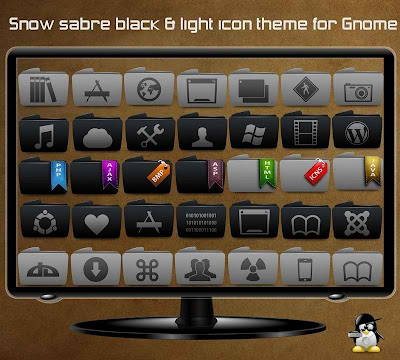
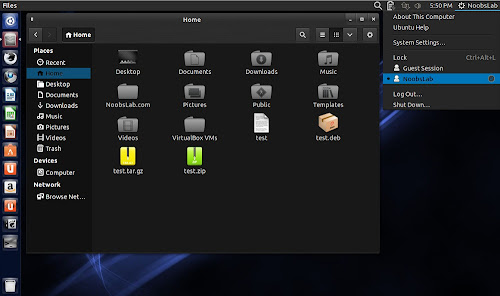
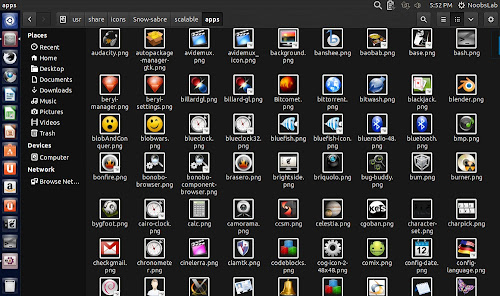
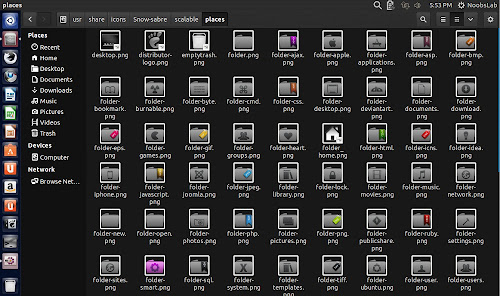
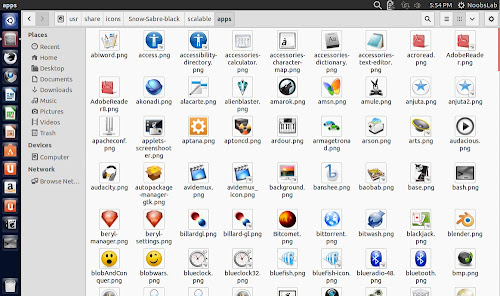
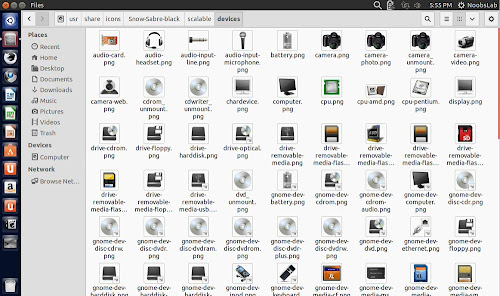
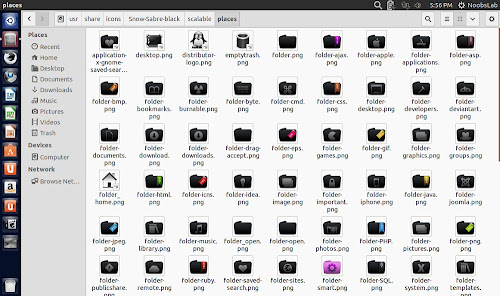
Snow sabre are dark icons. It's folders originally designed by minimamente then Naf71 from deviantart ported these icons for Linux. These icons include two sets Gray version and Dark version. Dark icon set can be used with light themes but Gray version can be used with any kind of theme whether it's light or dark. In this icon set folders describe itself what inside of it.

Gray Version
Black Version
To install Snow Sabre icons in Ubuntu 13.10/13.04/12.10/12.04/Linux Mint 15/14/13/other related Ubuntu derivatives open Terminal (Press Ctrl+Alt+T) and copy the following commands in the Terminal: 
Terminal Commands:
sudo add-apt-repository ppa:noobslab/icons
sudo apt-get update
sudo apt-get install snow-sabre-icons


To install Snow Sabre icons in any Ubuntu/Linux Mint/Debian/Previous Ubuntu derivatives open Terminal (Press Ctrl+Alt+T) and copy the following commands in the Terminal:
Terminal Commands:
wget -O snowsabre-NoobsLab.com.deb http://goo.gl/DfsYvB
sudo dpkg -i snowsabre-NoobsLab.com.deb
rm snowsabre-NoobsLab.com.deb

That's it
Source: Snow sabre